

Cancellation Strategies That Actually Work
Not all services make cancelling easy. Here's how to handle chat bots, retention offers, and companies that hide the cancel button.
You're probably paying for subscriptions you've forgotten about. We'll show you exactly where to look and how to get your money back.

It happens to everyone. You sign up for a free trial, forget to cancel, and suddenly you're paying $9.99 a month for something you haven't used in years. The worst part? These charges are often so small they slip past your attention. A streaming service here, a productivity app there — but they add up fast. Most people have between 3 and 8 forgotten subscriptions draining their accounts.
The good news is that finding them doesn't take much effort. You don't need special software or tech skills. What you need is to know where these charges hide and how to spot them systematically. Let's walk through the process step by step.
Editorial Team
Written by the FeeBuddy Editorial Team, focused on practical guidance for cutting hidden monthly fees and recovering overpaid subscriptions.
Your bank statement is the most reliable place to find subscriptions. It doesn't lie. Pull up your statements from the last 3 months and look for recurring charges — anything that appears multiple times with the same amount or amount that's close to the same.
What you're looking for: charges from companies you recognize but maybe haven't thought about in a while. Sometimes they use different names on your statement than they do in their marketing. Spotify might show up as "Spotify Inc," but Amazon Prime could be listed as "Amazon Services." Look for amounts in the $5 to $20 range — that's where most subscriptions hide.
Pro tip: Many banks and credit card companies let you search statements online. Use keywords like "recurring," "monthly," or "subscription." It'll save you time scrolling through everything.


Your email is like a trail of breadcrumbs leading to every subscription you've ever signed up for. Search for "confirm," "welcome," "subscription," and "receipt" in your inbox. You'll be surprised what comes up. Most services send you a confirmation email when you sign up, and many send renewal reminders too.
Go through your promotions folder and spam folder too. Sometimes these emails get filtered automatically, which is exactly why you forgot about them. When you find an email from a service you're not using, that's a clue you've got a subscription to investigate.
Make a list of every company name you find. You'll use this list to check the app stores next.
Informational Note: This guide provides educational information about how to identify and manage your subscriptions. Financial circumstances vary by individual. When reviewing your statements, consider your overall budget and financial priorities. If you have questions about specific charges, contact your bank or the service provider directly.
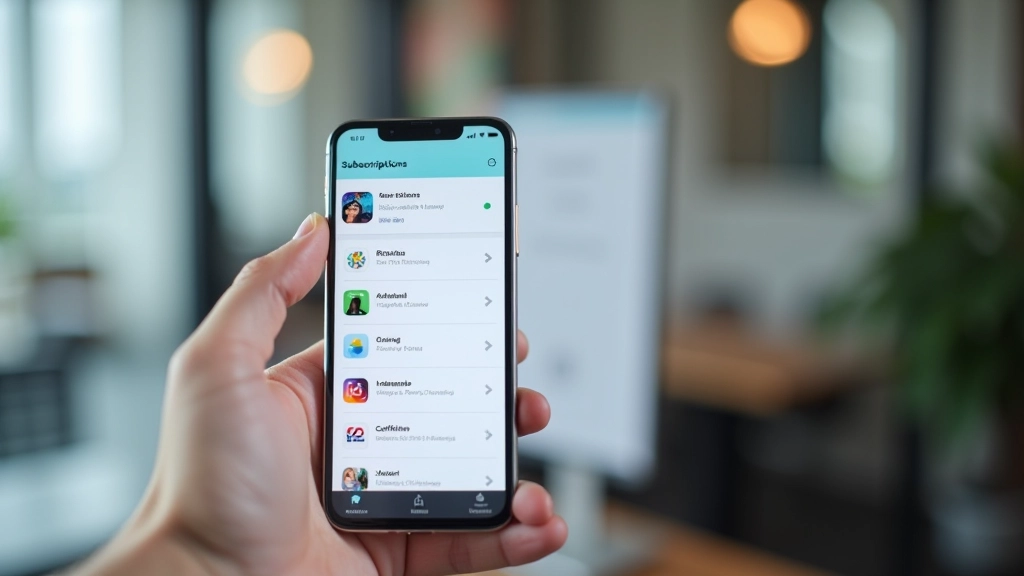
Apple App Store, Google Play, and other app platforms track every subscription you've ever started. You can see your active subscriptions and your subscription history directly from your account settings. This is where free trials often hide — you signed up for 14 days of something and forgot to cancel before the paid subscription kicked in.
On iPhone, go to Settings [Your Name] Subscriptions. On Android, open Google Play Store Menu Subscriptions. You'll see everything that's currently active, plus a history of past subscriptions. Look for anything marked "Active" that you don't recognize or don't use anymore.
Not all services make cancelling easy. Here's how to handle chat bots, retention offers, and companies that hide the cancel button.

You don't always have to cancel. Learn what to say when you call customer service to get a better deal on subscriptions you actually want.

One-time cleanup isn't enough. Discover the simple tracking methods that prevent new hidden subscriptions from building up again.
Finding hidden subscriptions doesn't require hours of work. Spend 30 minutes going through your bank statements, emails, and app store settings. You'll probably find at least a couple of charges you'd forgotten about. Once you identify them, you've got the information you need to cancel or negotiate better rates.
The key is being systematic. Check all three sources — bank statements, email confirmations, and app stores. Don't just glance at your statements once. Make it a habit. Review your accounts quarterly. That's the real way to stop subscription creep before it starts draining money you could use elsewhere.
Ready to take action? Learn exactly how to cancel without the hassle.
Read Our Cancellation Guide